UniverStar
Submit Project
Suppose that a user named alice wants to submit her projects to XMUM, then she should follow these steps.
Fork and Clone
-
Navigate to UniverStar Organization and find your institution repository (for Alice: XMUM repo).
-
Fork it to your account.
-
Clone your fork:
git clone git@github.com:alice/xmum.git cd xmum -
Add upstream:
git remote add upstream <git-http-link>For example,
git remote add upstream https://github.com/universtar-org/xmum.git
Create a Branch
Create a new branch based on the upstream with the following command:
git fetch upstream
git switch --create project/alice upstream/main
Replace
alicewith your username.
Add Your Project
-
Create a YAML file named after your username.
data/projects/alice.yaml -
Add your projects.
- repo: "demo"
- repo: "foo"
- repo: "bar"
Commit Changes
git add data/projects/alice.yaml
git commit -m "project: add alice/demo, alice/foo, alice/bar"
Push and Create PR
git push -u origin project/aliceGo to GitHub and create a Pull Request titled Add Projects.
Wait for maintainers to review and merge.
Add Description and Tags (Optional but Recommended)
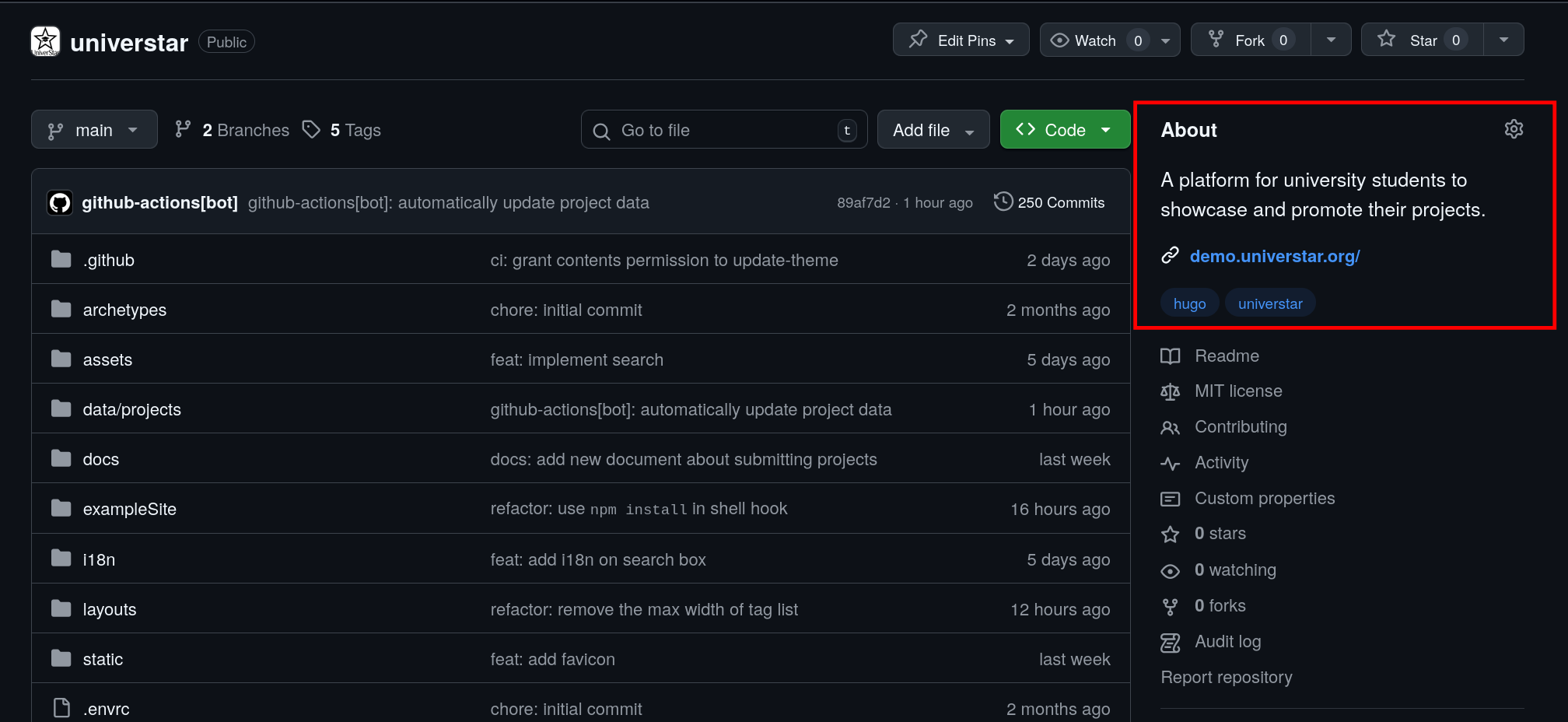
UniverStar fetches description and tags via GitHub REST API, and both of them can be configured at the About area of a repository.